Member of the Apple Consultants Network

Consultnts_Ntwrk_485_2ln

I am proud to announce I am now a member of the Apple Consultant’s Network (ACN). My focus area is Education Solutions with the following services:

  • Professional Development for teachers and school leadership
  • In-class support and training
  • Strategic planning for integration of iPads and technology into schools
  • Training and Workshops (QTC registered hours with NSW BOSTES)
  • iOS training in schools
  • Advice on using iPads to support the needs of diverse learners
  • Supporting schools to use iPads creatively and effectively
  • Supporting teachers to embed technology and iPads into their teaching
  • Understanding workflows in education
  • Creation of digital resources for teaching and learning

As many of you know, I am passionate about iPads in education and now I will have even more to be excited about!

I also have a new email address: bev@bevbabbage.com (mail will still be forwarded from my old address). Click here for my ACN Profile.

New iPad features in iOS9.3 will be great for school iPads

Some exciting new features in iOS9.3, especially for those with class sets of shared iPads.

  • students can have individual log ins that can be personalised, and use this to log onto any school iPad, with younger students having simpler 4 digit PIN code
  • a new Classroom app which can track student progress, view their screen, launch and lock apps, and more
  • new ways to manage Apple IDs
  • photo IDs

Screenshot 2016-01-12 17.09.52.png

http://www.apple.com/education/preview/

This could be a real game changer with class sets of iPads. Watch this space!

STEM Robotics Teaching Tools

There are so many great teaching aids and tools that can make teaching STEM subjects fun, engaging, exciting and interactive for all ages. And many come with fantastic teaching resources; with lesson plans linked to curriculum outcomes, worksheets and teacher guides. These resources are of great benefit, particularly to teachers new to coding and robotics.

Sphero is a powerful teaching and learning tool that is lots of fun and can be controlled by an iPad or smartphone. Students of all ages love it, and when I have brought it out at teacher training courses there has been much excitement! You can program it to steer around obstacles, go up ramps, light up colours and even dance, while learning about geometry, speed and distance and having a lot of fun with problem-solving. There are accessories such as protective covers, chariots and ramps, or have students make their own obstacles. The Sphero SPRK is particularly good for education, as it is clear so you can see the inner mechanics.

Sphero have also made the BB-8, which is a smaller version of the popular robot from the Star Wars: The Force Awakens film. It is cute and uses similar Sphero technology. Initially BB-8 was only controllable and not programmable, but apps are being updating and you can now program BB-8 with code using the Tickle app, and apps such as Draw n Drive also work with BB-8 now. It also has some extra features such as Holograms with AR and responding to voice commands.

LEGO Mindstorms EV3 is a fantastic robotics and programming kit aimed at students aged 10 (Grade 5) and above. There are so many possibilities, and students can start with the lessons and follow the step-by-step building instructions, and then progress to the challenge of making and designing their own creations, using sensors such as gyro and colour. They learn so much about programming and engineering whilst having a lot of fun. They can also get involved in the First Lego League (FLL) with enquiry-based learning team challenges.

LEGO Education have recently announced the WEDO 2.0 – a robotics and programming kit aimed at Primary School aged students (Grades 2-4) that would be a great lead-in to using the LEGO Mindstorms EV3. I look forward to trying it, and, as with EV3, it comes with great curriculum resources.

Robotics and coding are a great hands-on way to get students enthusiastic about maths and science, while having a lot of fun while they learn!

New 2016 Course dates announced

Upcoming 2016 Course Dates including some NEW courses (click on Course names for links or more details):

21 March  Sydney Adapting your Arts Program to Include iPads  with TTA

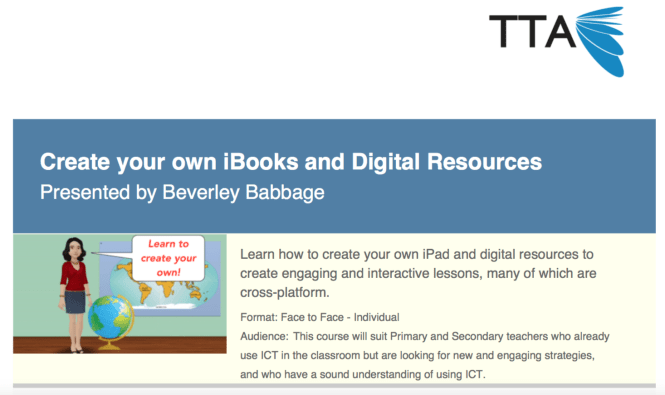
22 March  Sydney Create Your Own iBooks and Digital Resources with TTA

4 April       Sydney   A Beginner’s Guide to Coding with iPads K-6 with TTA

28 April     Coffs Harbour   Create Your Own iBooks and iPad Resources – Full Day Course

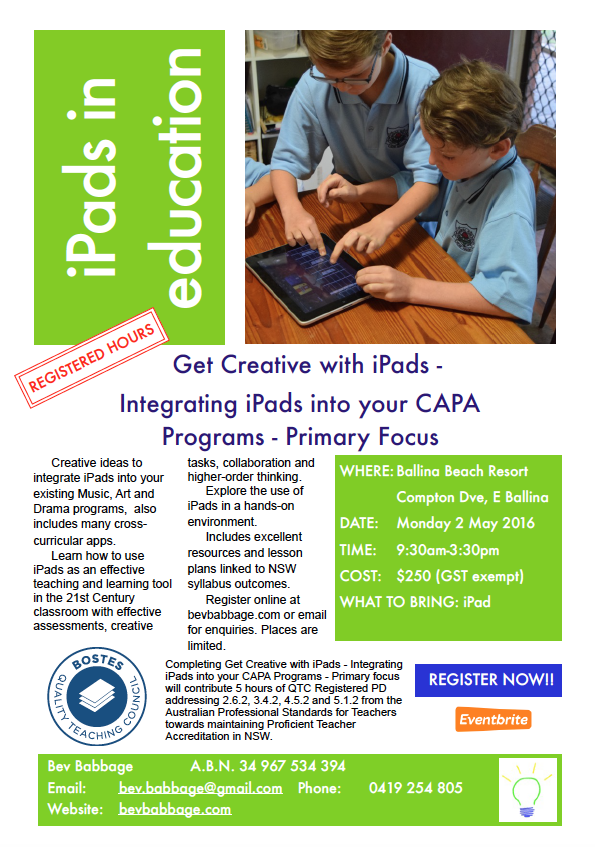
2 May        Ballina Get Creative with iPads – Integrating iPads into your CAPA Programs – Primary Focus

16 June     Coffs Harbour Coding with iPads K-6 – Full Day Course

20 June     Sydney Create Your Own iBooks and Digital Resources with TTA

21 June     Sydney Adapting your Arts Program to Include iPads with TTA

22 June     Sydney A Beginner’s Guide to Coding with iPads K-6 with TTA

Please contact me if you would like courses in your area or school.

Screen Shot 2015-12-21 at 1.55.12 PMScreen Shot 2015-12-21 at 1.20.32 PM

screen shot bev caricature 3

Coding for students and teachers

Great news coverage of the Hour Of Code at Mullaway PS last week where we had every student from K-6 doing an hour of coding and computer science.

Followed that up today with an in-school whole staff Professional Development Day on Coding and iPads in Education at Mullaway PS. Who says you can’t have fun learning?!

Ballina course announced

I am looking forward to coming to Ballina!

Get Creative with iPads – Integrating iPads into your CAPA Programs – Primary Focus

Registration is open for Get Creative with iPads – Integrating iPads into your CAPA Programs – Primary Focus  in Ballina on Monday 2 May 2016. Click on image for flyer or here for more information.

Ballina flyer

Course Flyer Create Your Own Resources Coffs Harbour 28 April 2016

Register online at https://www.eventbrite.com.au/e/get-creative-with-ipads-integrating-ipads-into-your-capa-programs-primary-focus-ballina-tickets-19774406783  


Screen Shot 2015-06-04 at 10.09.35 pm